Omit RedactAvailable nowDetect and redact PII across text, files, and images.
Omit Redact is the flagship redactor. Drop in text, email, CSV, Excel, PDF, or scanned images, review every detection, and write a clean redacted copy. Everything runs on your device.
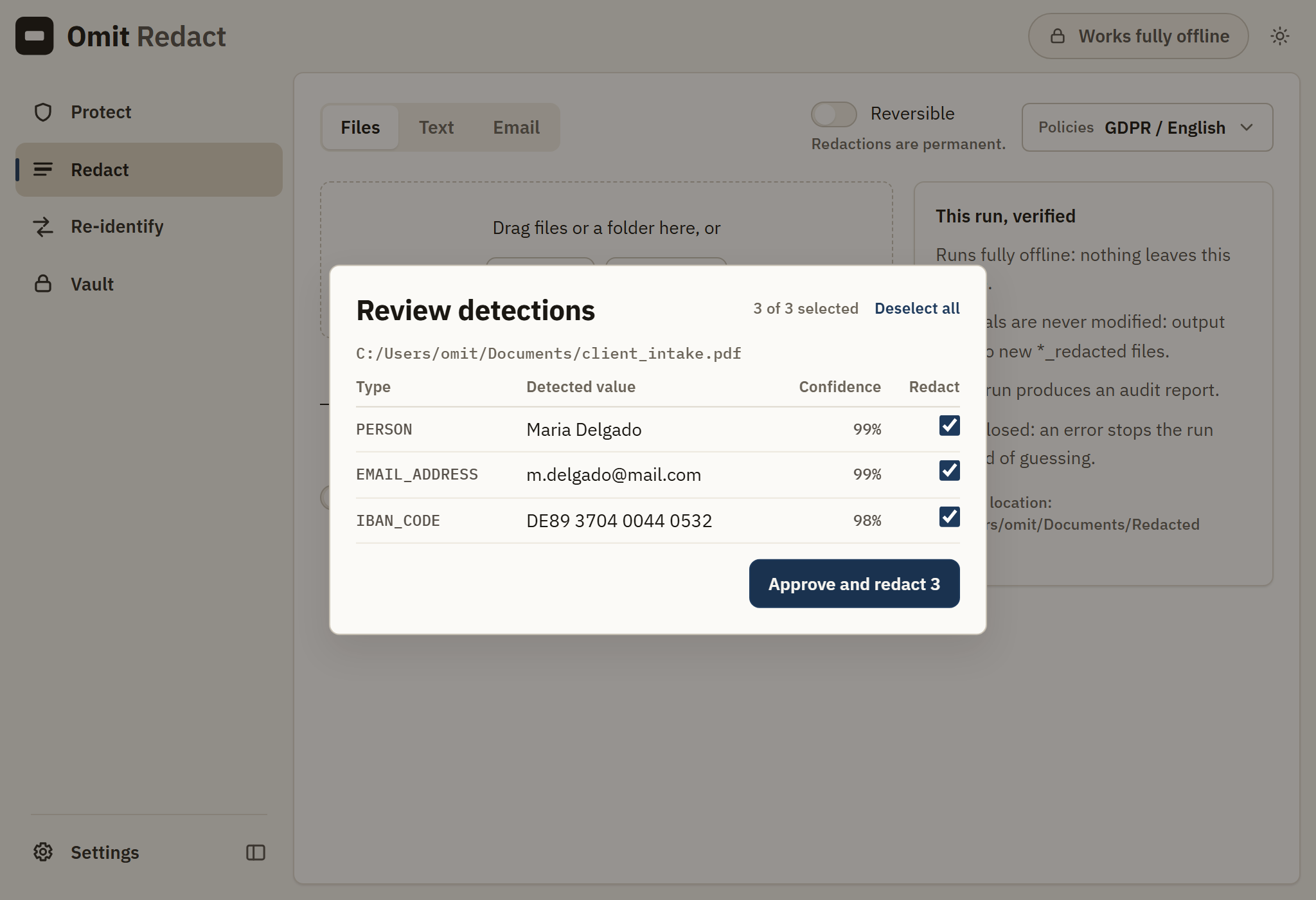
Text, email, CSV and Excel, PDF, and images with OCR all move through the same detect, review, and redact path.
Every detection is grouped per file and checked by default. Uncheck a false positive, then approve, or let it run automatically.
Label, blackbox, mask, hash, keep, or pseudonymize. Each of the roughly 25 entity types maps to the operator your policy needs.
Omit writes a new file next to the source. The original stays byte-identical on disk.
Redacted text is removed from the PDF itself, not painted over. Copy-paste and search cannot recover it.
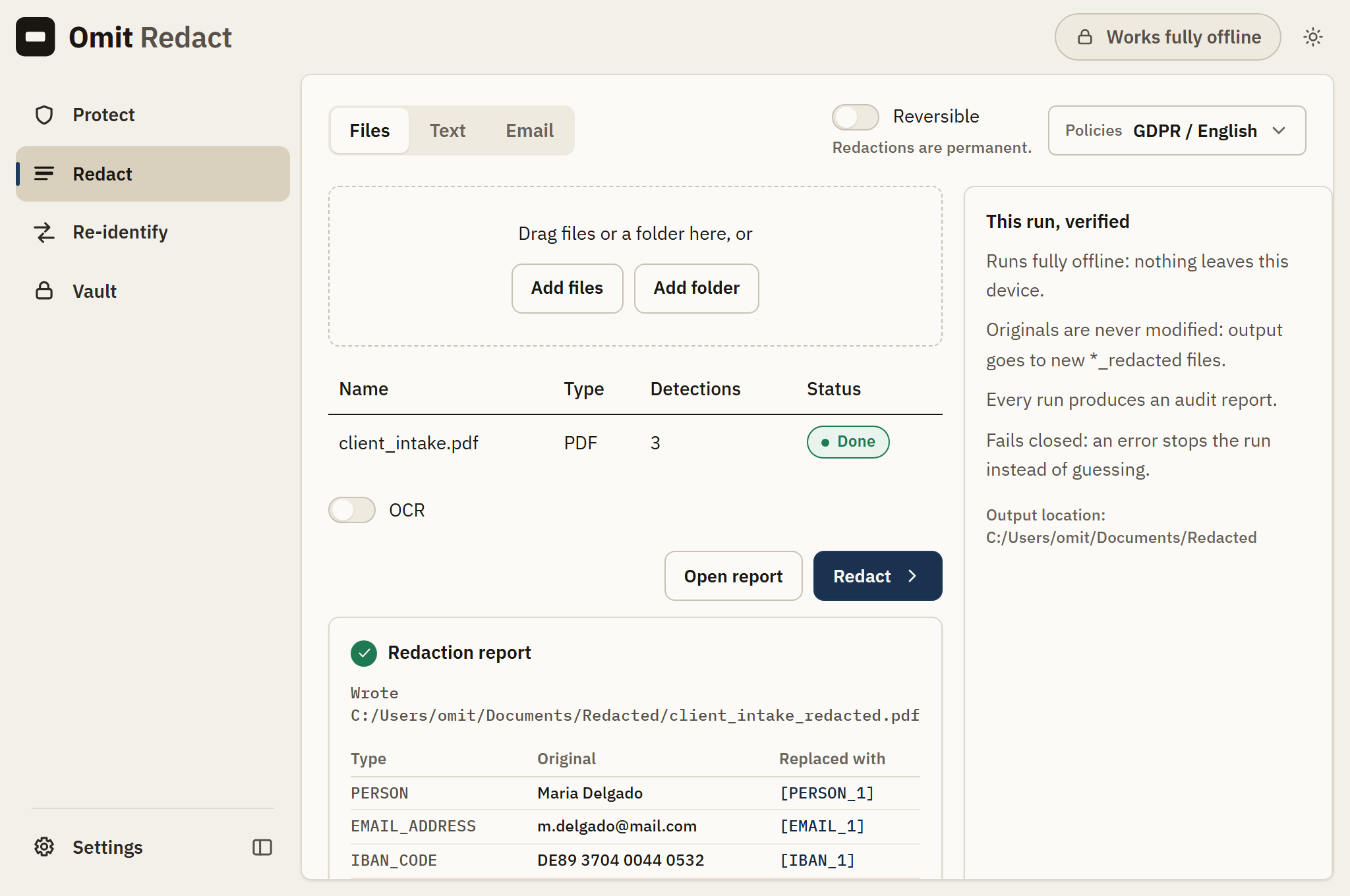
Each run produces an HTML report listing exactly what was detected and how it was handled.
The built-in clipboard guard redacts personal data out of anything you copy, before it reaches an AI tool or anywhere else. It ships switched off, and it stays free permanently with no key.
Drop
Drag in files or a folder. Add deny-list terms if there are names the model should always catch.
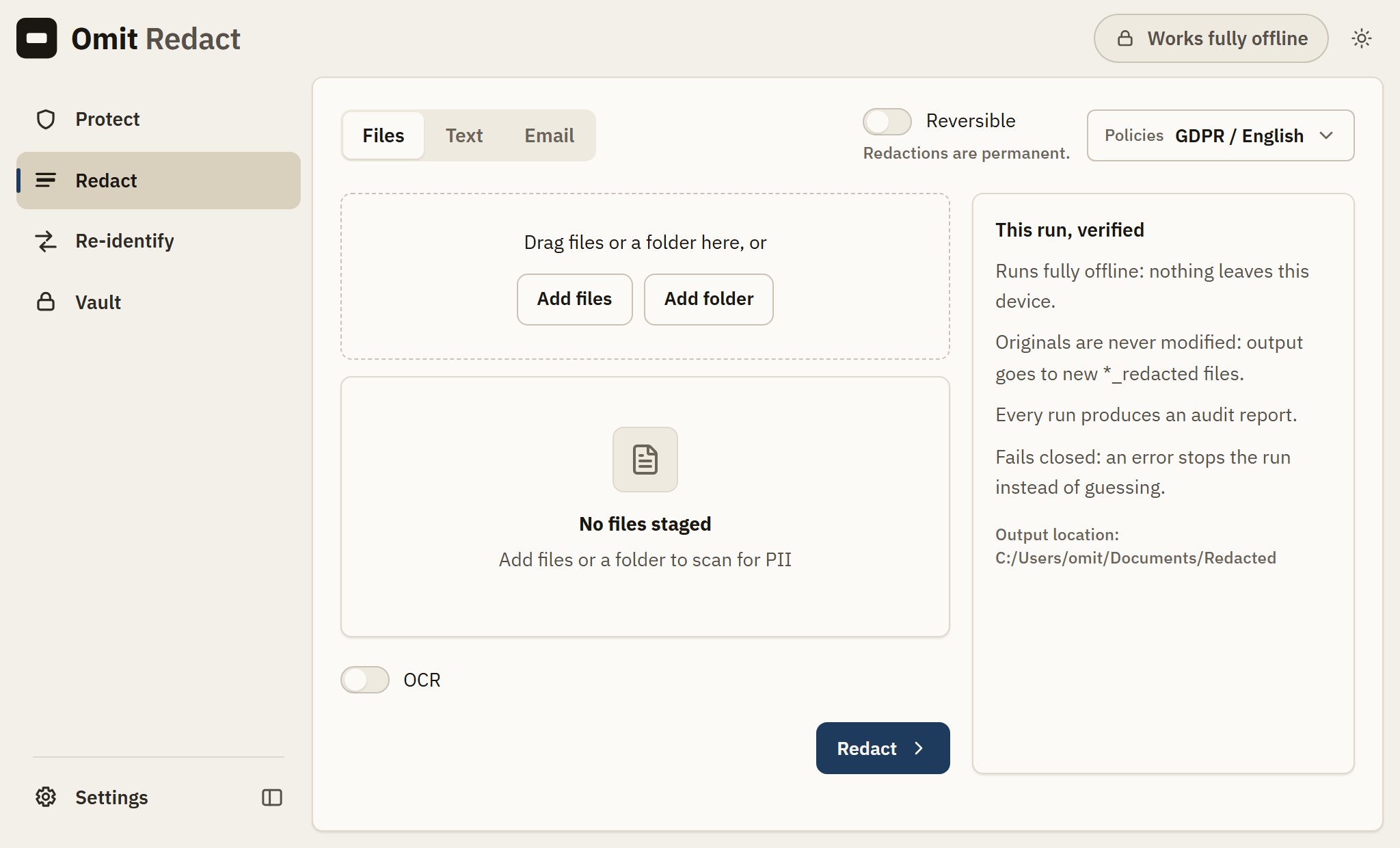
Review
Scan for PII, then confirm detections in a focus-trapped review dialog.
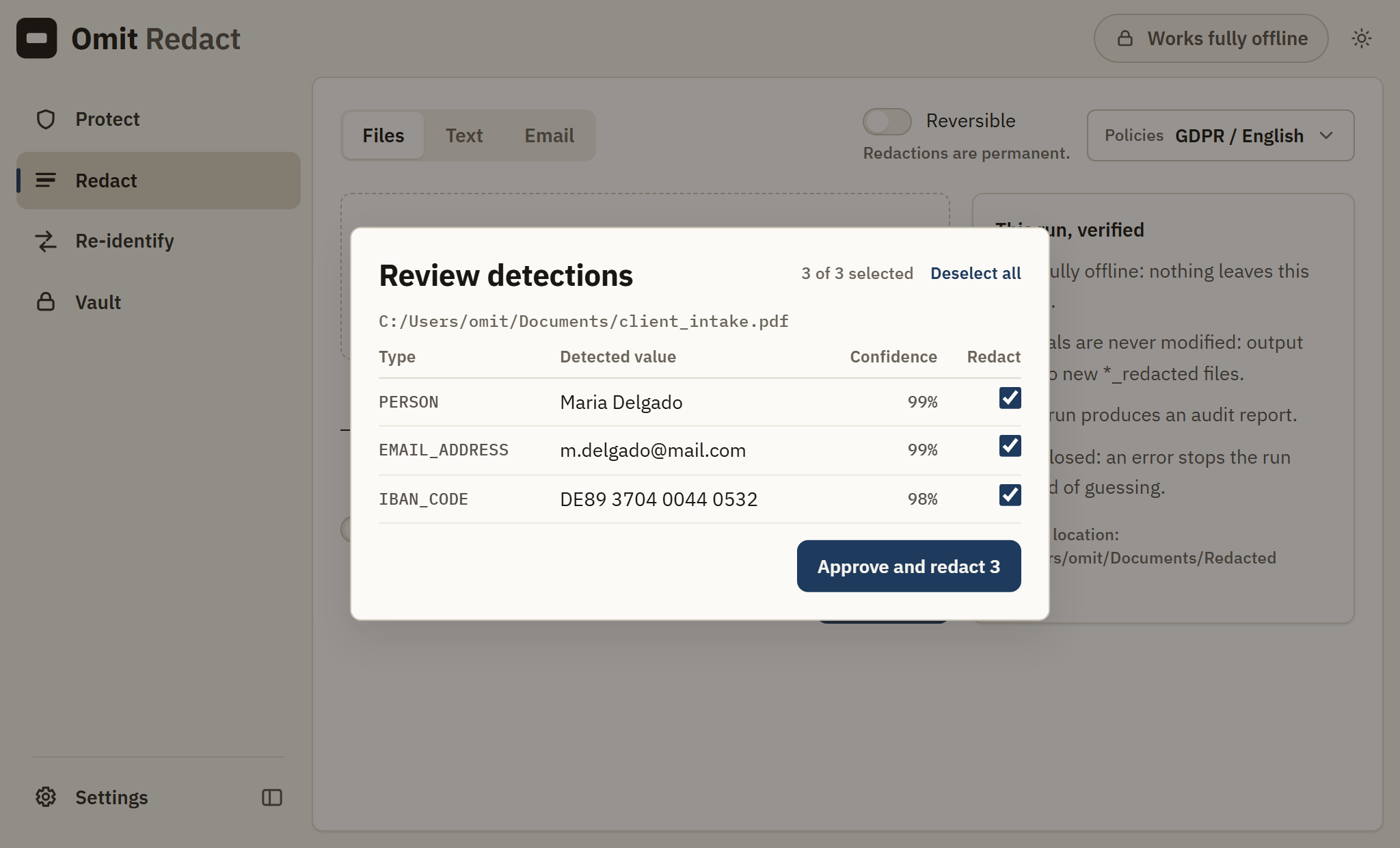
Redact
Run the redaction. A new _redacted copy and an audit report are written locally.
Where teams rely on it
Supported formats
| Category | Formats | Notes |
|---|---|---|
| Text and documents | TXT, DOCX, PDF | PDF uses native true redaction: the underlying content is removed from the file, not covered with a drawn rectangle. Word redaction reaches headers, footers, comments, footnotes, tracked-change text and document properties, not only the body. RTF is not read yet. |
| Spreadsheets and data | CSV, XLSX, JSON | CSV and Excel are rewritten at the cell level, so formulas, column structure and numeric columns survive the pass. JSON is rewritten in place, so a file with no PII in it comes out byte-for-byte identical. |
| Images and scans | PNG, JPG, TIFF, scanned PDF | Bundled OCR runs locally and detections are mapped back to box coordinates, so the redaction lands on the image itself. |
| EML, MSG | Headers and body are both scanned. Recipient lists are a common source of exposure and are treated as detectable content. |
What Omit Redact does not do
Every tool has a boundary. Finding ours after you buy would be worse than reading it here, so here it is.
It does not catch everything
Detection is statistical. Recall on arbitrary prose is never one hundred percent and any vendor claiming otherwise is overselling. Omit fails closed, redacting when uncertain rather than releasing, and review stays available on every run because a high stakes disclosure should have a human in it.
Windows is the only platform available now
macOS is coming soon: we are building it, and we will not put a date on it until it is ready. There is no Linux build. If your team is on Macs, this is not the product for you yet and we would rather say so here than after you buy.
It does not manage retention or discovery
Omit redacts the copy you are about to share. It does not crawl your file shares, classify data at rest, or enforce retention schedules. Those are different tools and often complementary ones.
Handwriting is unreliable
OCR handles printed text well and handwritten annotations poorly. Scanned documents with handwritten notes in the margin need a human check.
No cloud, no accounts, no telemetry.
Output goes to new _redacted files.
Uncertain? Omit refuses rather than leaks.
Pull the network cable, it still works.
One engine, everywhere your data moves
Frequently asked
Which file types are supported?
Plain text, email, Word, CSV, Excel, JSON, PDF, and common image formats. Images are read with a bundled offline OCR engine.
Does it change my original file?
No. Omit always writes a separate _redacted copy and leaves the source untouched.
Can I choose how each PII type is handled?
Yes. Every entity type maps to one operator: label, blackbox, mask, hash, keep, or pseudonymize.
What is Protect, and does it cost anything?
Protect is the clipboard guard built into Omit Redact. It redacts personal data out of what you copy before you paste it into a chatbot, an email or anything else, and it is free for everyone permanently. It ships disabled, so a fresh install watches nothing until you turn it on.
Omit Redact is available now.
Download it and run it on a machine with the cable pulled out. No accounts, no telemetry, no cloud. Windows 10 and 11 are available now. macOS is coming soon.
Download it free