Omit VoiceComing soonPrivate voice typing and offline transcription.
Omit Voice turns speech into text without the cloud. Dictate into any app with a global hotkey, transcribe recordings, then redact the transcript before you export.
It is in progress. There is nothing to download yet, and we will not put a date on it.
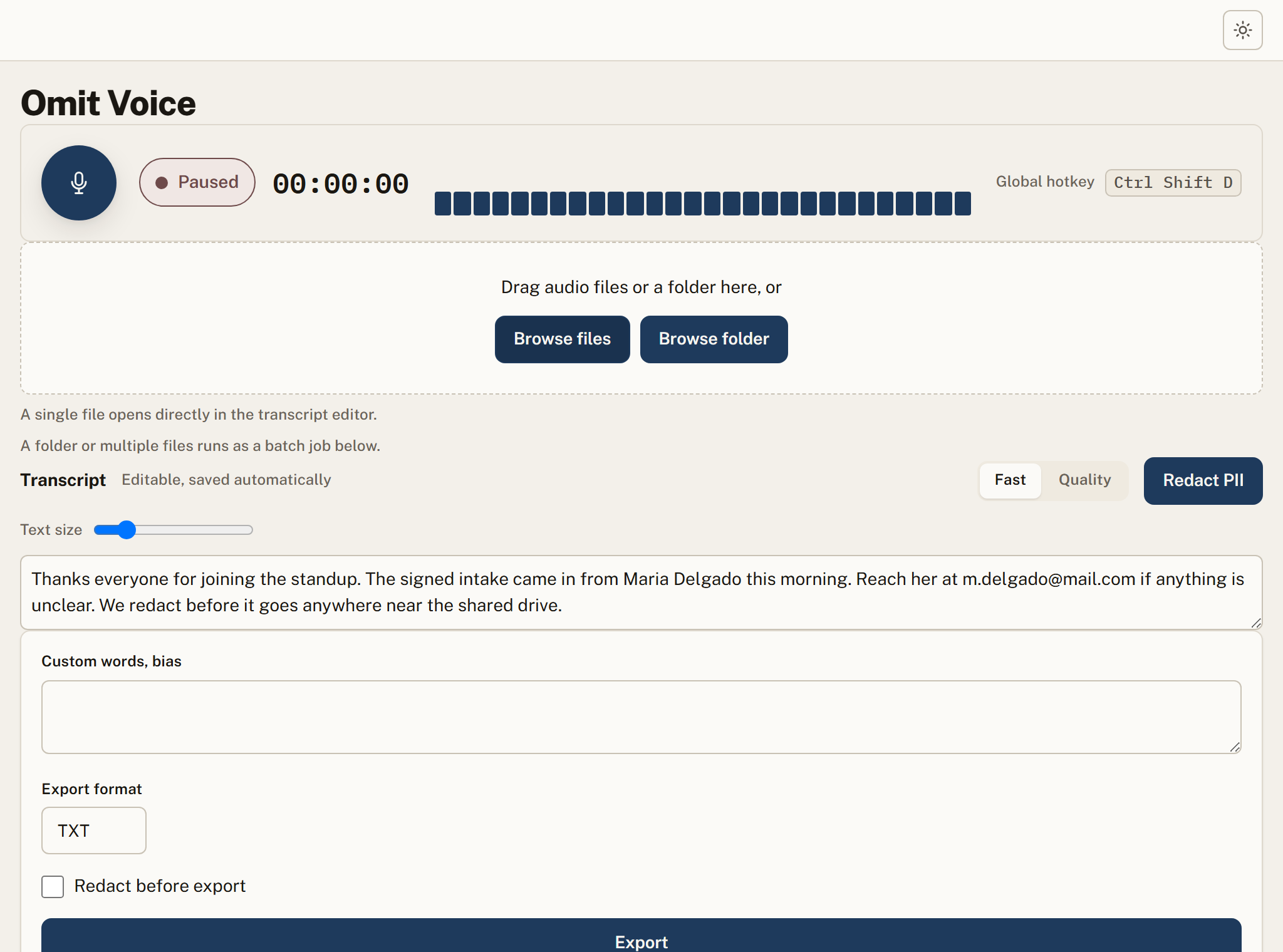
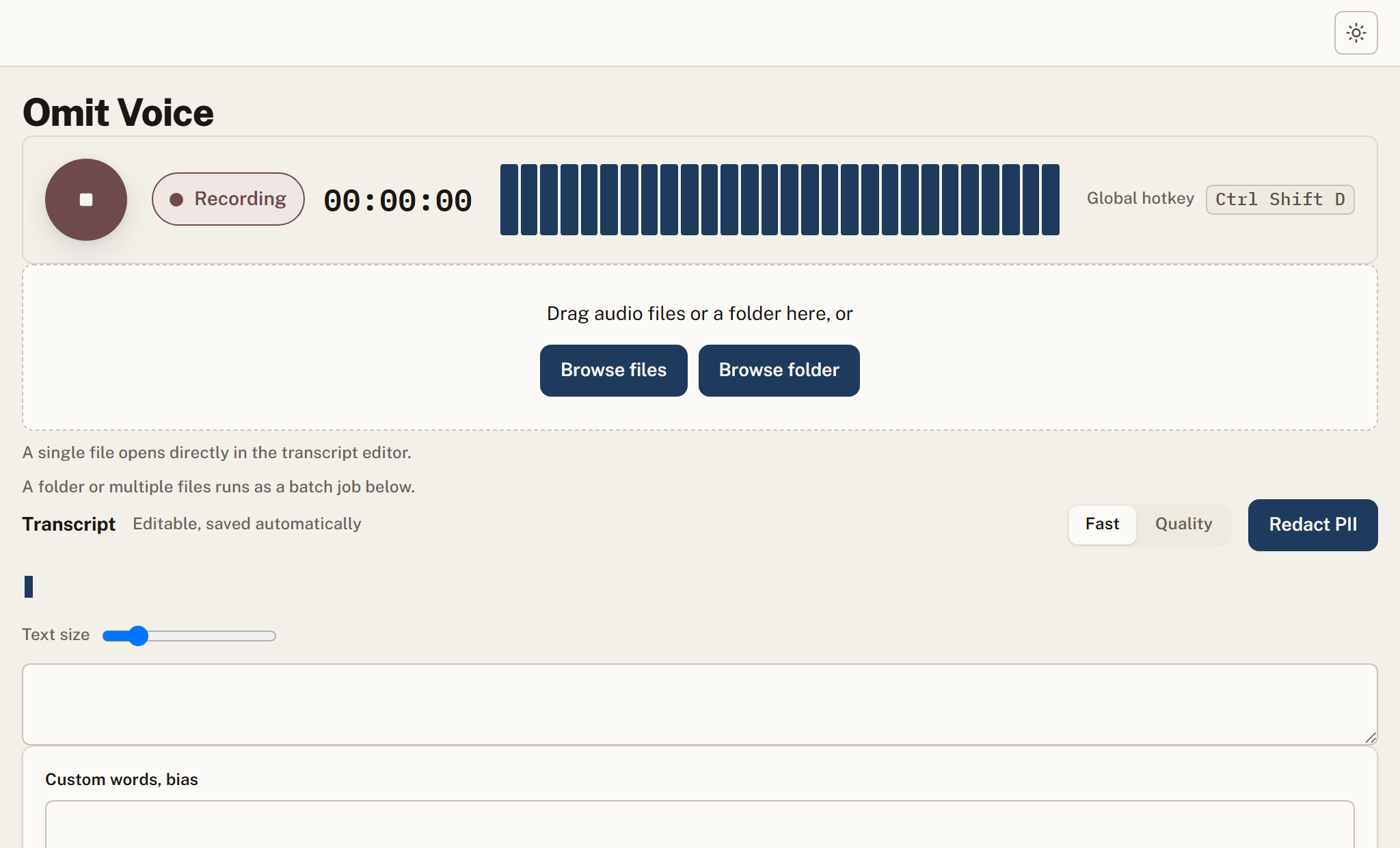
Press one shortcut to dictate into whatever field you are typing in. The audio never leaves the machine.
Transcription runs on a bundled model. It works the same on a network-isolated machine.
Pick faster turnaround or higher accuracy per job, depending on the recording.
Add names, product terms, or jargon so the model spells them the way you expect.
Scrub PII from the transcript, then export to TXT, DOCX, PDF, SRT, or VTT.
Recording, transcription, and redaction all happen locally. Nothing is uploaded.
Capture
Start dictation with the hotkey or load an existing recording.
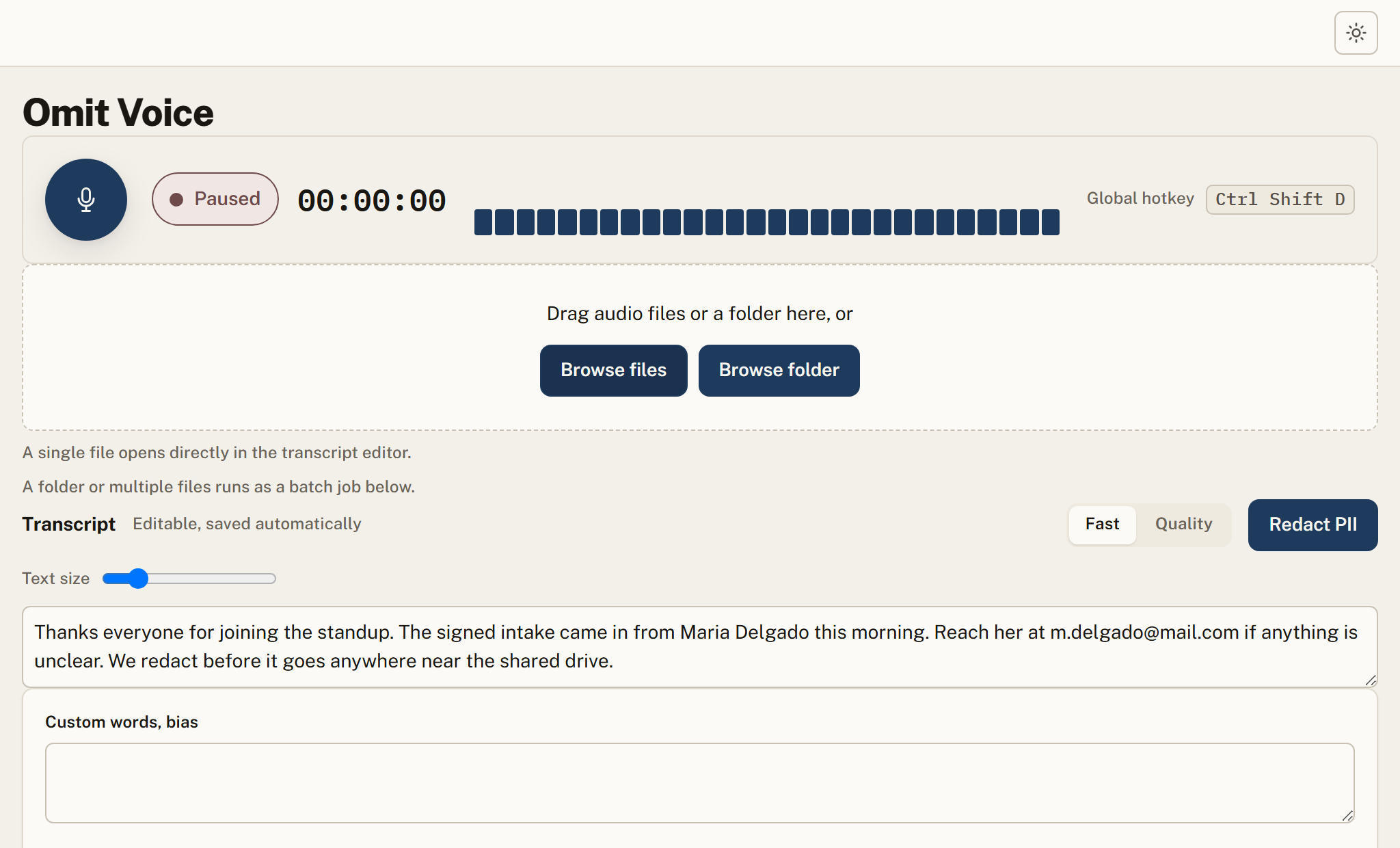
Transcribe
Omit produces an editable transcript on-device with PII highlighted.
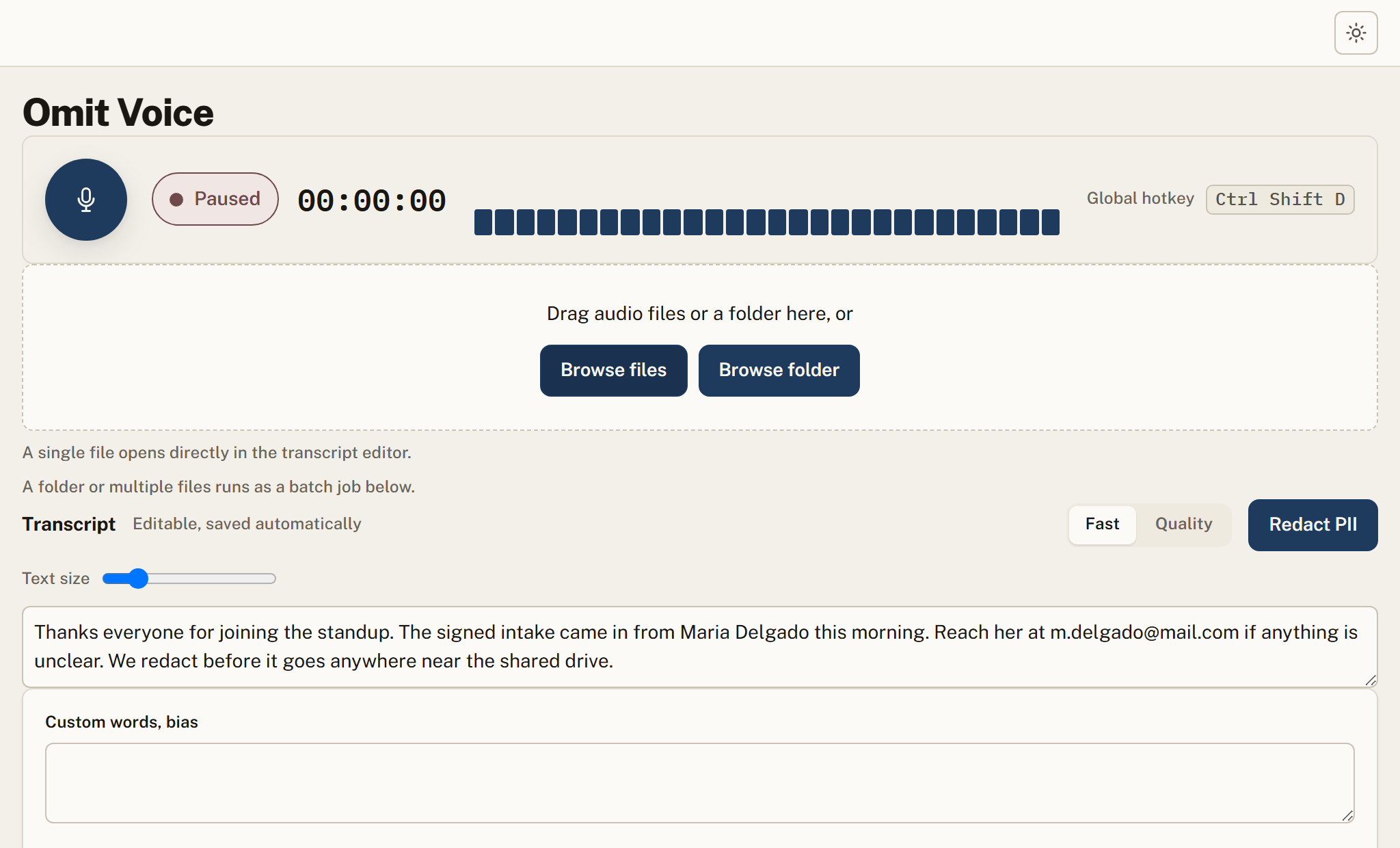
Redact and export
Remove PII, then export to your format of choice.
Where teams rely on it
Supported formats
| Category | Formats | Notes |
|---|---|---|
| Audio input | WAV, MP3, M4A, FLAC, OGG | Files are transcribed on the device. Nothing is uploaded to a transcription service at any point. |
| Live dictation | Any desktop application | Voice typing works into whatever window has focus, so it is not limited to a built-in editor. |
| Transcript output | TXT, DOCX, SRT, VTT | The transcript can be redacted in the same pass, so a shareable version exists without a second tool. |
What Omit Voice does not do
Every tool has a boundary. Finding ours after you buy would be worse than reading it here, so here it is.
Accuracy depends on audio quality
Clear speech on a decent microphone transcribes well. Heavy background noise, crosstalk and strong accents degrade it, as they do for every system including cloud ones.
Specialist vocabulary is not trained
Dragon Professional has decades of refinement on medical and legal vocabulary and we do not match that today. If dictation accuracy on specialist terms is the priority rather than privacy, that is the honest comparison.
Windows is the only platform available now
macOS is coming soon and there is no Linux build.
It is not a meeting assistant
Voice does dictation and file transcription. For meeting capture with diarization and summaries, that is Omit Meet.
No cloud, no accounts, no telemetry.
Output goes to new _redacted files.
Uncertain? Omit refuses rather than leaks.
Pull the network cable, it still works.
One engine, everywhere your data moves
Frequently asked
Does audio get uploaded?
No. Capture, transcription, and redaction run entirely on your device.
What export formats are supported?
TXT, DOCX, PDF, SRT, and VTT, with an option to redact PII first.
Can I dictate into other apps?
Yes. A global hotkey types the transcribed text into whatever field has focus.
Omit Voice is coming soon.
It is in progress. There is nothing to download yet, and we will not put a date on it. Leave your email and we will tell you the moment it ships.